Introduction to the Blender Bridge
The Blender Bridge is a Plasticity addon for Blender that streams mesh data between the two apps. Connect once, hit refresh, and your model is in Blender. No temporary files, no export dialogs, no settings to second guess. Use it any time you want Blender's render, lighting, animation, or rigging tools on top of Plasticity's NURBS modeling.
Live Link
Toggle Live Link and every change in Plasticity flows into Blender automatically. No exports, no temp files, no settings dialog. Move a control vertex and watch the rendered viewport update in seconds. It's the fastest way to see your model in context as you work, with real Blender materials, Cycles or Eevee lighting, and your scene's actual camera reacting to every edit.
Refacet and Remesh
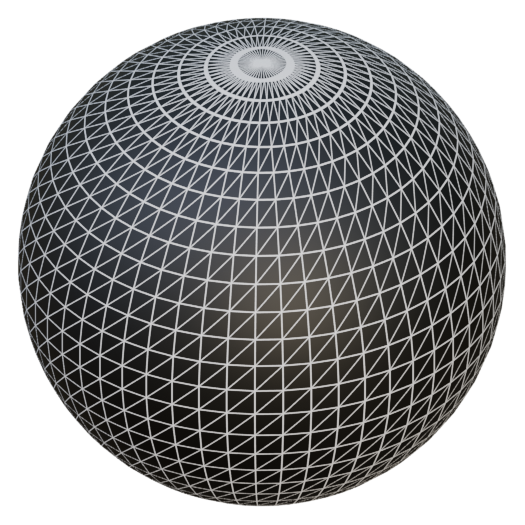
All of faceting tools are exposed inside the Blender addon, which means tolerance, edge flow, and polygon density can be adjusted directly from the Plasticity panel in Blender. Start at a low poly preview and push to a denser mesh when you're ready to render, then go even tighter for final output.
Topology decisions stop being permanent. You can rebuild a scene at a different density with one click while keeping materials, lighting, and camera setup intact in one file.
PolySplines
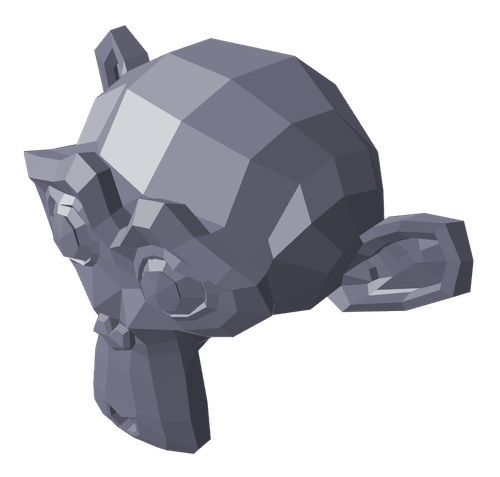
Block out a shape with subdivision surfaces in Blender, drop it in the Outbox group, and Plasticity converts it into G2 continuous editable NURBS automatically.
Use it when you want to sketch a form quickly with the freedom of Sub-D modeling, then hand the result back to Plasticity to clean up, fillet, and prepare for manufacturing or precise downstream work. It's the one part of the bridge that flows from Blender to Plasticity, and it changes what you can prototype before committing to CAD.
Workflow Helpers
The bridge keeps your Blender setup intact as CAD changes. Modifiers survive refreshes, Plasticity groups map to collections, and a small panel of commands makes imported geometry easier to select and edit.
Modifier workflow
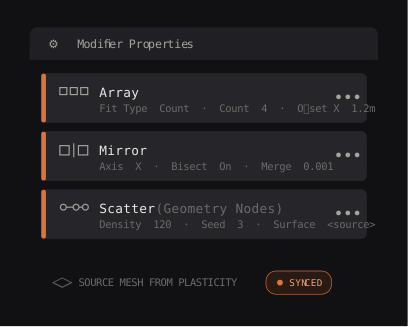
Object level modifiers and scatter systems built on top of your imported geometry survive every refresh. Set up your procedural workflow once and keep iterating on the CAD upstream.
Collections sync
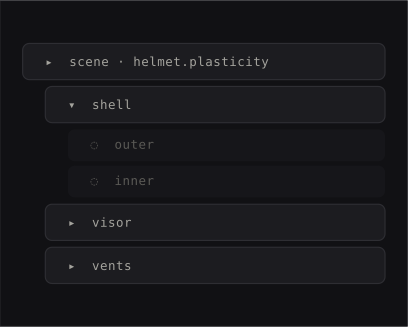
Plasticity groups become Blender collections, scoped by the document name so multi file scenes stay clean.
Selection utilities
Five Blender commands for working with imported Plasticity geometry: auto mark sharps and seams, merge UV seams, select faces or edges by their original Plasticity ID, and paint faces with vertex colors. Hover any command to see what it does.
Get Started!
Free with every Plasticity license. Works with Blender 4.1 and newer on Windows, macOS, and Linux.